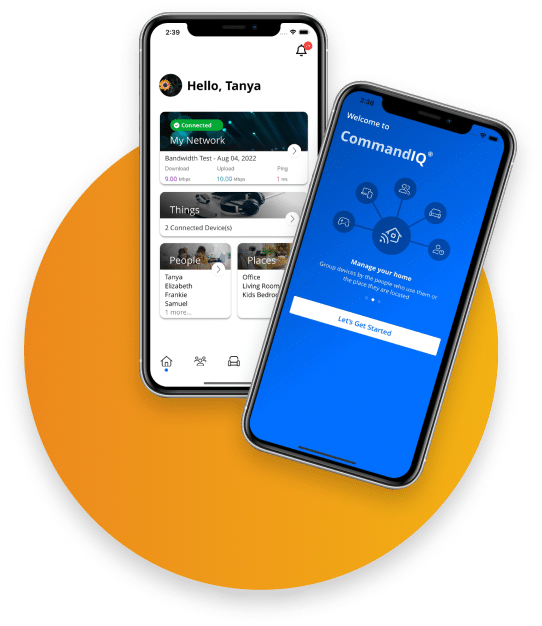

See ProtectIQ in Action
Most home networks get probed dozens of times a day. ProtectIQ scans the traffic before it reaches your devices and blocks what shouldn’t be there.
Already an SC Broadband customer? Activation takes one tap in the CommandIQ app.
Network security for every device on your home network. All run from one app.
ProtectIQ scans for known malicious sites and threats at the router and blocks them before they reach a device. Think of it as a layer over everything connected at home: the TV, the cameras, the tablets.
Antivirus only runs on the one laptop you install it on. ProtectIQ reaches every device on your network, wired and wireless, including smart TVs, cameras, and tablets that can’t run antivirus at all.
24 hours a day, 7 days a week, even when you’re asleep or away. When ProtectIQ blocks something, the CommandIQ app shows what it was and which device it came from. You can see it working.
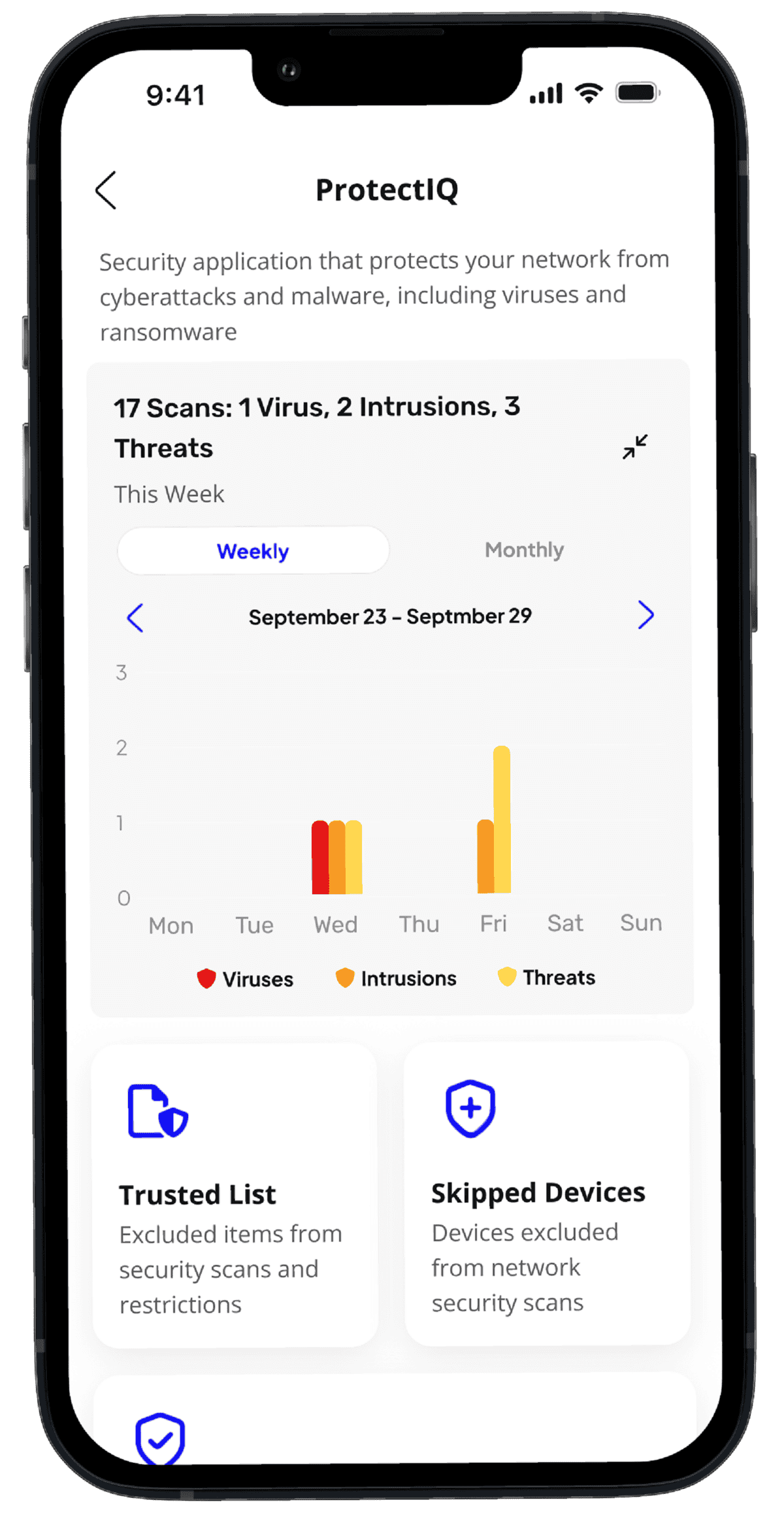
Protection for Everything on Your Network
Your laptop’s antivirus doesn’t reach your kid’s tablet, your doorbell camera, or your thermostat. ProtectIQ runs at the router, so every connected device gets the same protection automatically.
Common questions about ProtectIQ home network security.
Will ProtectIQ slow down my internet?
No. Scanning happens at the router on hardware built for gigabit speeds. Most customers say their WiFi feels smoother because junk traffic gets filtered before it reaches their devices.
Do I still need antivirus on my laptop?
Antivirus still helps for threats that arrive over USB, email, or public WiFi. ProtectIQ adds a layer at home that also covers the devices that cannot run antivirus. They work together.
Does it cover devices on Ethernet?
Yes. ProtectIQ runs at the router, so anything going through your SC Broadband internet is covered, wired or wireless.
What can SC Broadband see?
ProtectIQ blocks known threats automatically. We don’t monitor, store, or sell your browsing data. The CommandIQ app shows you what got blocked. The information stays with you.
What kinds of threats does it stop?
Viruses, ransomware, and malicious or phishing sites, plus intrusion attempts from outside. ProtectIQ checks traffic against a constantly updated threat database and blocks matches before they land.
I’m already a customer. How do I turn it on?
Open the CommandIQ app, tap the ProtectIQ tile, and follow the prompts. The charge is added to your next bill. Or call 435.263.0000, and we’ll handle it.
Add ProtectIQ to Your SC Broadband WiFi
Network security for every device, run from one app. Already an SC Broadband customer? Activation is one tap in the CommandIQ app. New to SC Broadband? Add it when you sign up.
Local support, real people, no contracts, no surprises on your bill. Questions? Call 435.263.0000.