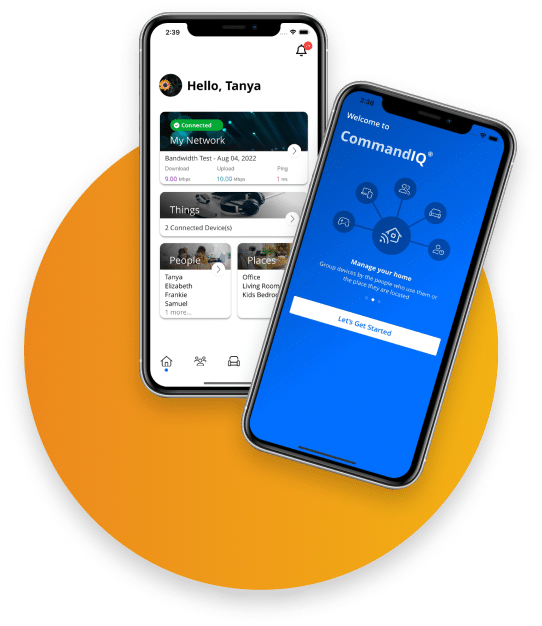

See CommandIQ in Action
CommandIQ is the app for your SC Broadband WiFi. Set it up, see what’s connected, run a speed test, and pause the internet when you need to, all from your phone. Add ProtectIQ or ExperienceIQ anytime.
Already an SC Broadband customer? Download the CommandIQ App FREE for mobile devices.
One app to set up, monitor, and control your SC Broadband home WiFi.
Open the app and see everything connected to your network by name. Spot a device you don’t recognize, and rename or remove the ones you do.
Create a separate guest network with its own name and password, then share it by text or QR code. Your main network stays private.
Run a speed test from the router, pause the internet to one device or the whole house, and reboot your equipment, all without a phone call.
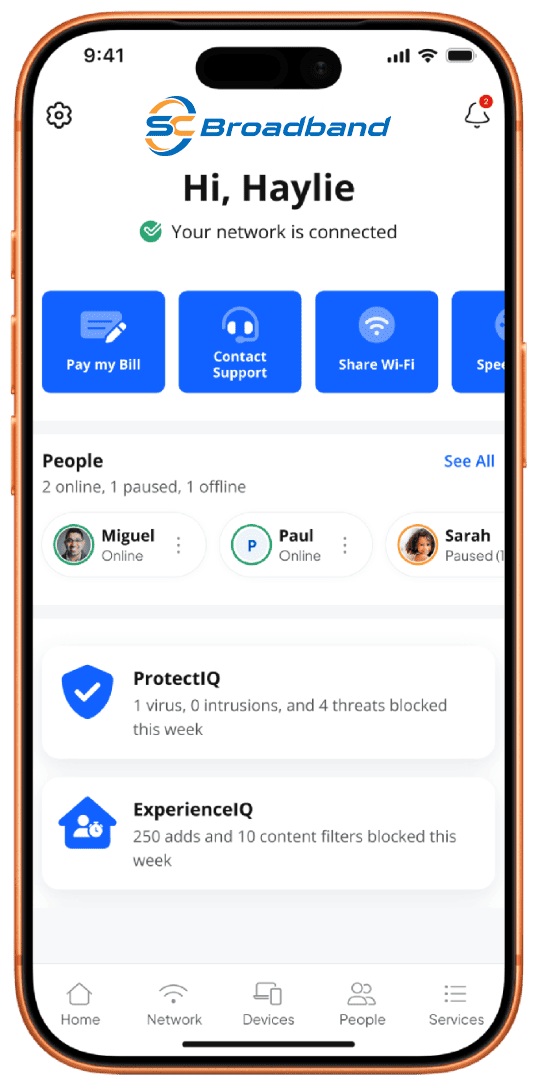
Add Security and Parental Controls
CommandIQ is free with your SC Broadband WiFi. When you want more, add ProtectIQ to block threats at the router or ExperienceIQ to set screen time, filter content, and give every person their own profile. $6 each, or $10 for both.
Common questions about the CommandIQ app.
Is CommandIQ free?
Yes. CommandIQ is included with your SC Broadband WiFi at no extra cost. Protect IQ and Experience IQ are optional add-ons.
Where do I download it?
On the Apple App Store and Google Play. Search CommandIQ, or tap a link on this page.
Do I need SC Broadband internet to use it?
CommandIQ manages SC Broadband WiFi running on our equipment. If you’re a customer with a compatible router, you’re set.
What can I do for free?
See connected devices, set up and share guest WiFi, run speed tests, pause the internet, and manage your WiFi name and password.
What do Protect IQ and Experience IQ add?
ProtectIQ blocks viruses, ransomware, and malicious sites at the router. ExperienceIQ adds screen time, content filtering, and per-person profiles. $6 each or $10 bundled.
Need help with the app?
Call 435.263.0000. Our local team can walk you through setup, logins, and features.
Get CommandIQ for Your SC Broadband WiFi
Your whole home network in one app: devices, guest WiFi, speed tests, and one-tap controls. Free with your SC Broadband service. New to SC Broadband? Get connected first.
On the App Store and Google Play. Questions? Call 435.263.0000.